

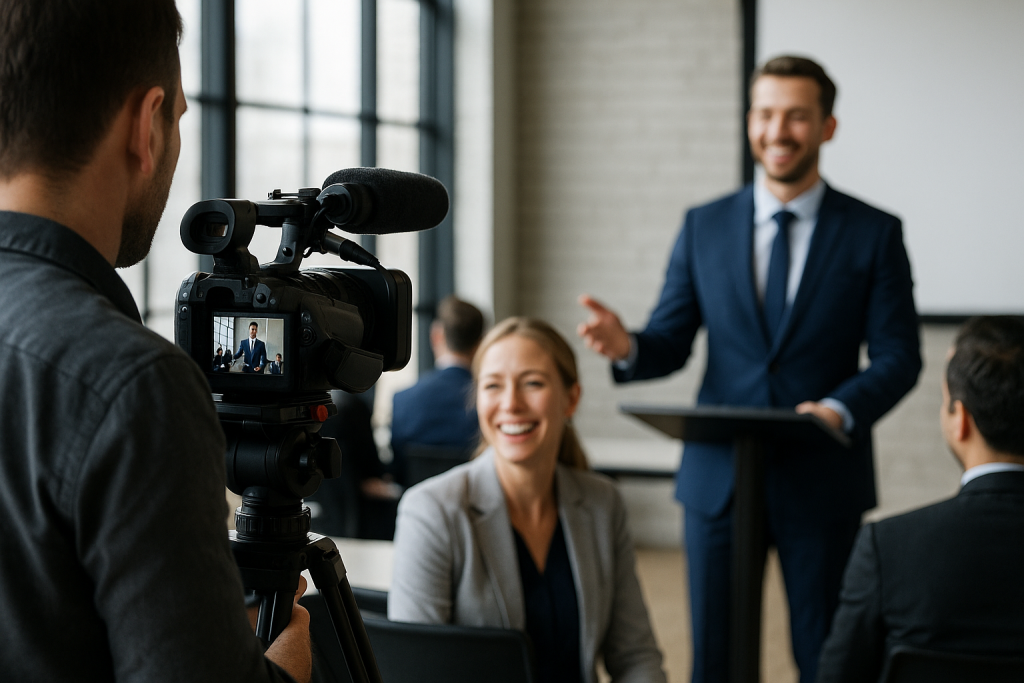
Look, I’ve been filming corporate events for… honestly? Too many years to count. And let me tell you something – most people get it wrong. They show up with a camera and think that’s enough. It’s not.
## The Truth Nobody Tells You About Event Filming
Here’s the deal. Your corporate event isn’t just another gig for a videographer to show up and press record. Its your company’s story happening in real time. And if you screw it up? Well… there’s no second take.
I learned this the hard way back in 2018. Big tech conference. Major keynote speaker. My camera guy missed THE moment – the CEO’s announcement that changed everything. Why? Because nobody told him it was coming.
**Lesson learned: Communication beats equipment every single time.**
## Before You Even Touch a Camera
Okay so here’s what actually matters:
### 1. The Pre-Event Meeting (Yes, You Need One)
I don’t care if it’s “just a simple corporate mixer” – sit down with your video team at least a week before. And I mean really sit down. Coffee, notepads, the whole thing.
What to cover:
– **The must-have shots** (CEO speech, product reveal, whatever)
– **The schedule** – down to the minute if possible
– **The no-go zones** (trust me, there’s always somewhere you can’t film)
– **The vibe you want** – corporate professional or startup casual?
### 2. Scout the Venue (Seriously)
I once showed up to film an event in what I thought was a “standard ballroom.” Turns out it had mirrors on every wall. EVERY. WALL. My footage looked like a funhouse nightmare.
Get there early or visit beforehand. Check:
– Where the power outlets are (you’d be surprised…)
– The lighting situation
– Audio challenges (is there a kitchen next door?)
– Where you can actually set up without blocking everyone
## The Day-Of Game Plan
### Equipment That Actually Matters
Forget the fancy stuff for a second. Here’s what saves your butt:
– **Two cameras minimum** – one wide, one roaming
– **Way more batteries than you think** (I bring 6 for a 3-hour event)
– **A decent wireless mic** for speeches
– **Good low-light capability** – event lighting is always weird
But here’s the kicker – your backup camera can be a good smartphone. I’m serious. Better to have iPhone footage than no footage.
### The 30-Minute Rule
Arrive 30 minutes early? Nope. Make it an hour. Here’s why:
– Setup takes longer than you think
– You need test shots
– Something WILL go wrong
– You need to chat with the event coordinator
## During The Event: Don’t Be That Guy
### Blend In or Get Out
Nobody wants the videographer to be the star of the show. I wear black, I move quietly, and I never – NEVER – walk in front of the CEO during their speech. (Yes, I’ve seen it happen. Yes, that videographer got fired.)
**Quick tips:**
– Stay on the edges of the room
– Use longer lenses to avoid getting too close
– If you must move during speeches, crouch-walk
– Turn off all camera beeps and sounds
### The Shots That Actually Matter
1. **Wide establishing shots** – show the scale
2. **Audience reactions** – proves engagement
3. **Speaker close-ups** – but not creepy close
4. **Networking moments** – the candid stuff
5. **Detail shots** – branded materials, food, decor
And please… get variety. Nothing worse than 3 hours of medium shots from the back of the room.
## The Stuff Nobody Talks About
### Audio Is Half Your Video
Bad video with good audio? Watchable.
Good video with bad audio? Garbage.
Always:
– **Test audio before the event starts**
– **Have a backup recording device**
– **Get close to speakers with a mic**
– **Monitor with headphones** (yes, you look dorky. do it anyway)
### The Client Always Wants “Natural” Until They See It
“We want it candid and natural!” they say. Then they see themselves eating canapes with their mouth open and suddenly want Hollywood lighting.
My solution? Shoot both. Get the candid stuff AND the posed “everyone look successful” shots. Cover your bases.
## Post-Event: Where The Magic Happens
### Same Day Rough Cut
Want to blow your client’s mind? Send them a 60-second highlight reel the same night. Doesn’t have to be perfect. Just has to exist.
I use my laptop in the car after events. Quick cuts, maybe some music, export and send. They love you forever.
### The Full Edit
Here’s my timeline that keeps clients happy:
– **Day 1-2:** Review and log all footage
– **Day 3-4:** First cut
– **Day 5:** Client review
– **Day 6-7:** Final tweaks
Don’t promise a 2-day turnaround unless you hate sleep.
## Real Talk: What Separates Pros From Amateurs
**Amateurs worry about gear.**
**Pros worry about story.**
Your job isn’t to document every second. It’s to capture the feeling, the energy, the “why this event mattered.” That means sometimes you put the camera down and actually pay attention to what’s happening.
I filmed a product launch last month. The best shot? Wasn’t the CEO on stage. It was an engineer in the crowd tearing up when they revealed his project. That’s the stuff that matters.
## My Biggest Failures (So You Don’t Repeat Them)
– **The dead battery disaster** – always have spares
– **The corrupted memory card** – always have backup cards
– **The “I thought someone else was filming that” moment** – always clarify who covers what
– **The time I filmed an entire event in 720p** – always check your settings
## Bottom Line
Filming corporate events isn’t rocket science, but its not point-and-shoot either. its about being prepared, being invisible, and being ready for anything.
And remember – at the end of the day, you’re not just filming an event. You’re capturing a moment in a company’s history. Treat it with that level of respect and you’ll do just fine.
Now get out there and make some great videos. And for the love of all that is holy, bring extra batteries.
—
*Been filming events since before 4K was a thing. Still mess up sometimes. That’s how you know I’m human.*
